Make your music feel at home.
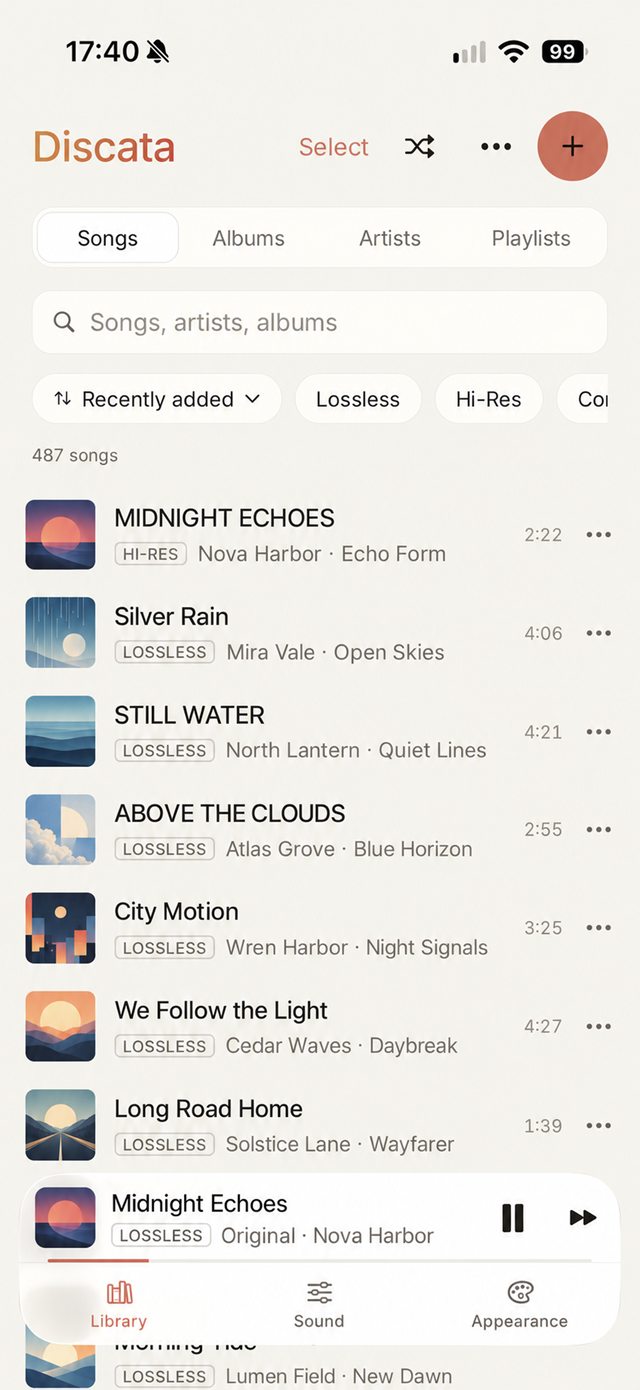
Discata is a music player for the files you own, with the tools to make them sound the way you like. Bring in your collection, put on your headphones, and start with a simple preset or build a sound that’s yours.
Free on iPhone. Requires iOS 17 or later. No account.
Sound you can shape
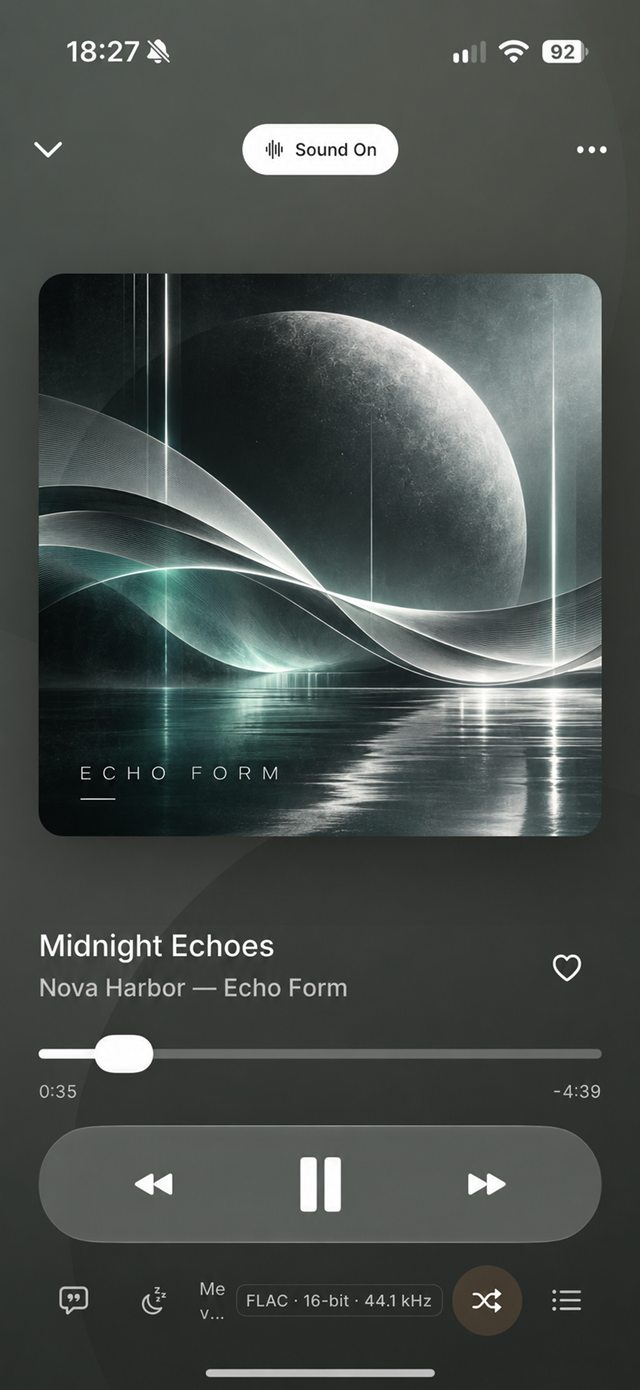
Everything is processed on your iPhone. One switch on Now Playing takes you back to the original file.
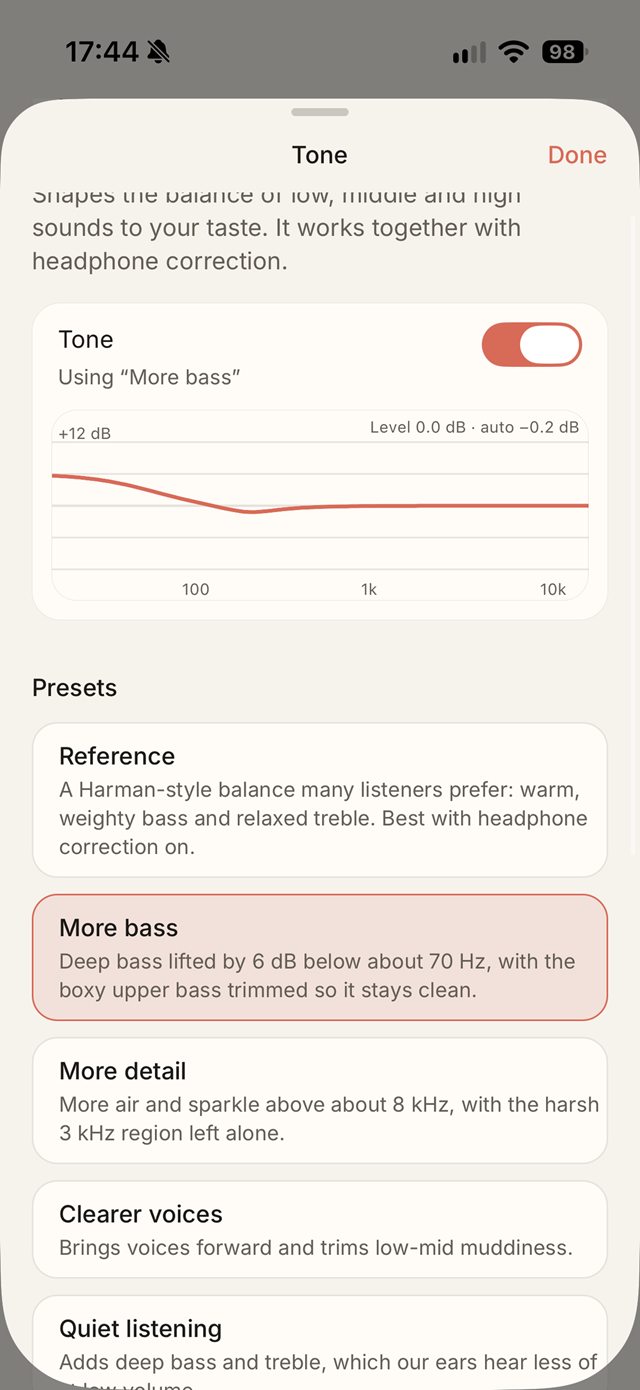
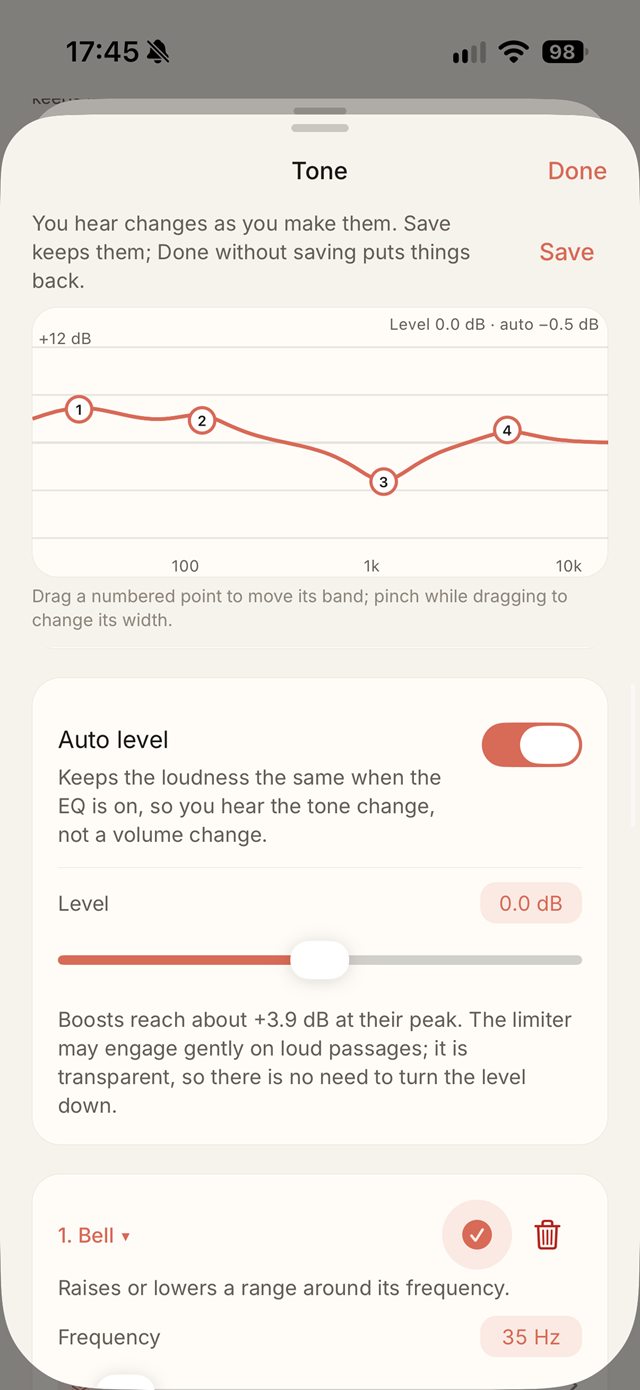
ToneA 10-band EQ, plus 32-band parametric and graphic editing, with presets for more bass, more detail or clearer voices.
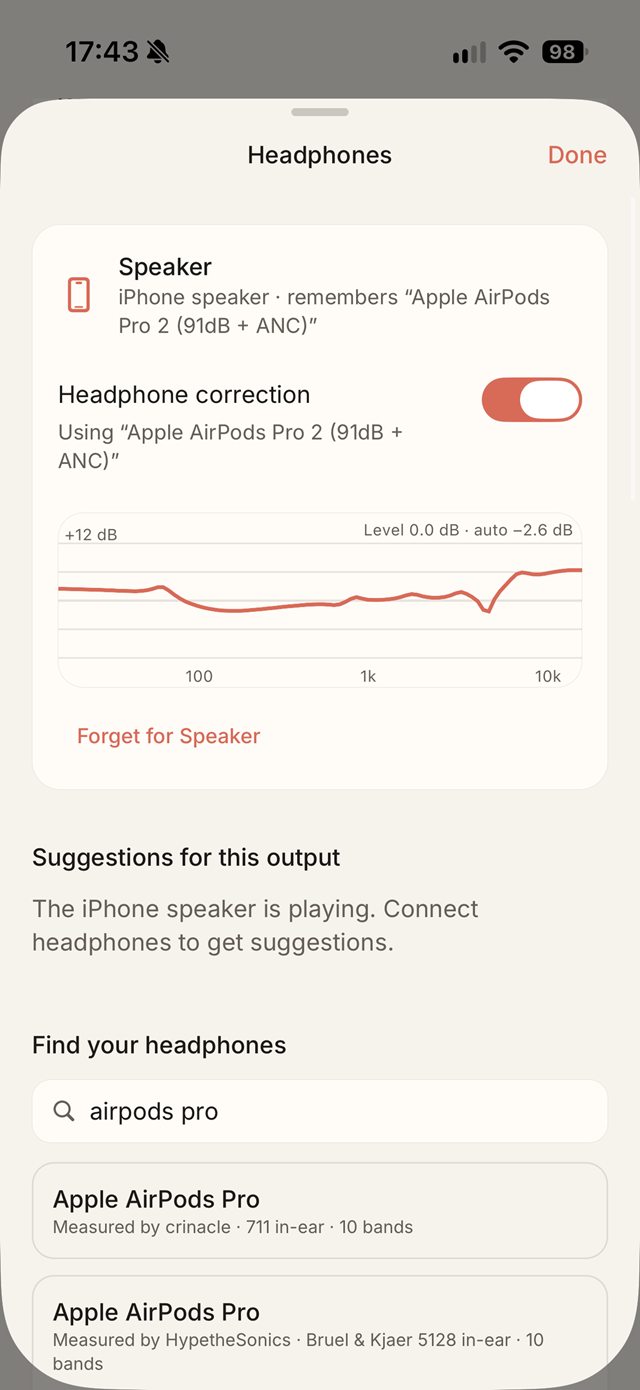
Headphone correction8,849 AutoEq profiles. Find your headphones and Discata remembers them for that output.
Consistent loudnessLoudness normalisation to −14, −16 or −18 LUFS, Auto level and a true-peak limiter.
Sound styles
Nine starting points, one tap each. All of them stay adjustable.
- Balanced
- Reference
- Bass
- Treble
- Immersive
- Speakers
- Vocals
- Chill
- Orbit
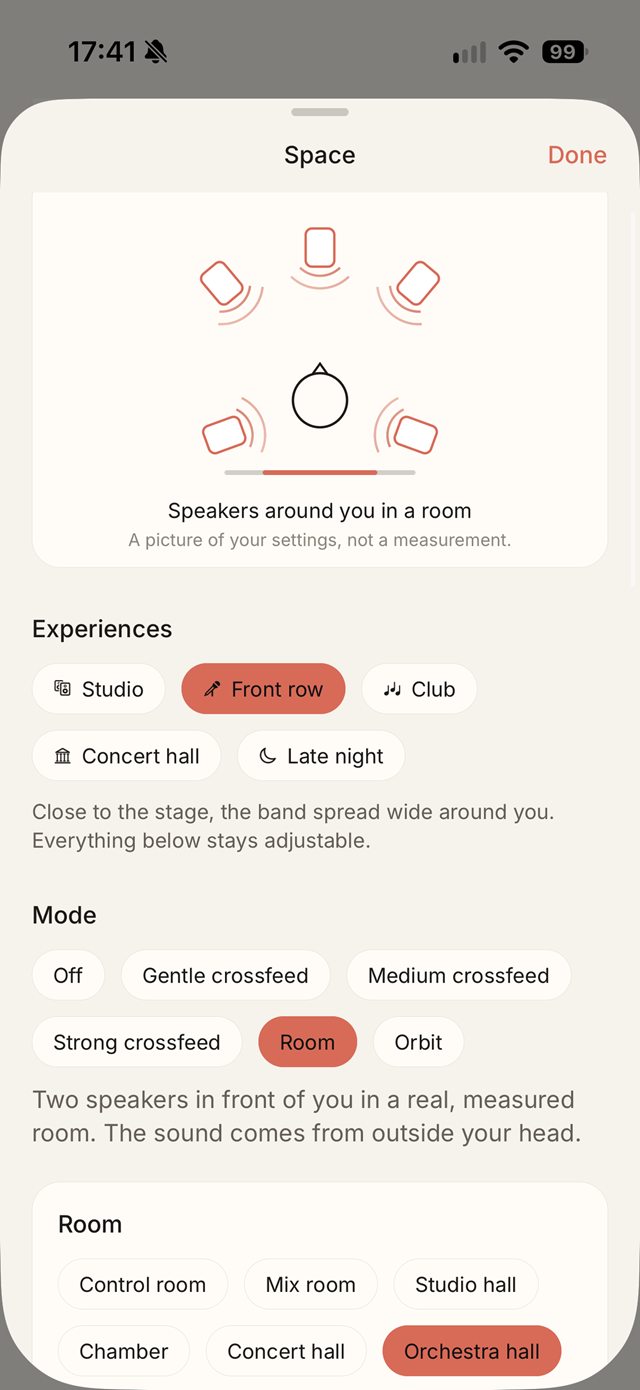
Space
Six virtual rooms that move the sound out of your head, plus crossfeed and Orbit.
- Control room
- Mix room
- Studio hall
- Chamber
- Concert hall
- Orchestra hall
A closer look
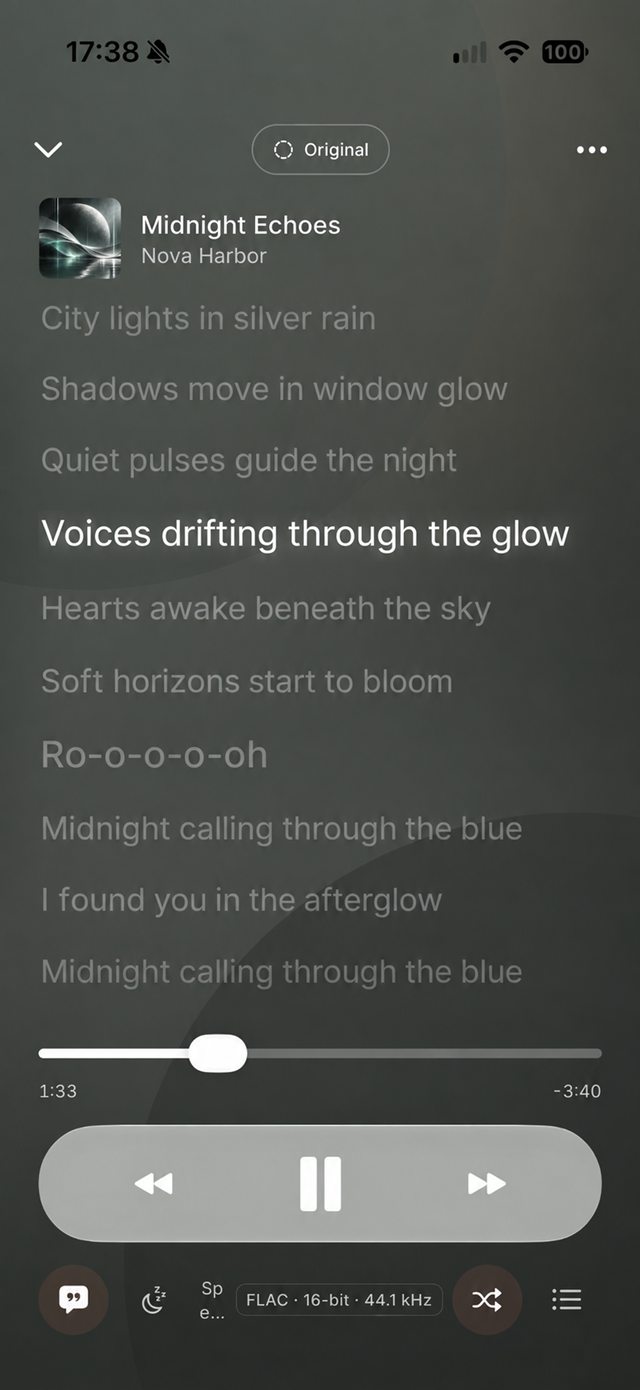
Screenshots from Discata 1.0 on iPhone.
Your library, your way
Discata plays your own music files. It does not include a streaming music catalog or import protected streaming-service downloads.
Your filesImport music from Files or iCloud Drive and play it offline.
LosslessSeamless playbackCrossfade, gapless playback and trim silence.
Lyrics and Smart ShuffleSynced lyrics on Now Playing, and Smart Shuffle for the queue.
Make it yoursChoose from themes, colours and fonts.
Private by designNo sign-in and no analytics. Listening history never leaves your device.
Free, or ad-free foreverOne short ad card between songs, or a single purchase to remove ads for good.